An inbound agent that answers, qualifies the caller, books the appointment and transfers to a person. Built in the dashboard.
Answer Every Call. No Code Required.
Pick the model and voice for each agent, run calls on your own Twilio or Telnyx account, and book into Google or Outlook calendars.Your Models, Voices, Carriers and Calendars
Each capability is a setting in the agent builder, with no code to write. Picks up day and night with the greeting, voice and tone you choose. Set your opening hours and holidays in the agent settings. Callers reach the right agent by saying or keying an access code. Asks your questions and records the answers in the call summary. Checks availability and books into Google Calendar, Outlook or Cal.com, with the buffers and lead time you set. Hands the call live to your team for the reasons you choose, with separate rules after hours. Watch live calls, listen in, guide the agent mid call, or take the call from the AI. Picks up from the last conversation. VIP callers ring your team and blocked numbers are turned away. Write test calls with a pretend caller and what must happen, then rerun them after each edit. Sends a text when a call is missed, so the conversation continues. Sends text reminders 24 hours and 2 hours before, and follows up once after a no show. Every call is saved with a transcript, an AI summary, its outcome and sentiment, and the details you ask for. These are the main ones. The agent builder has many more settings, and a free trial shows them all.Everything an Inbound Agent Does
Answers on your number
Business hours and holidays
Routes to the right agent
Qualifies the caller
Books and reschedules
Transfers to a person
Listen in and take over
Remembers returning callers
Tested before every change
Texts back missed calls
Reminders and no show follow up
Records and summarises
Run on your own accounts or let NovaReps manage the minutes. Either way every call is on record.You Control the Line, the Model and the Data
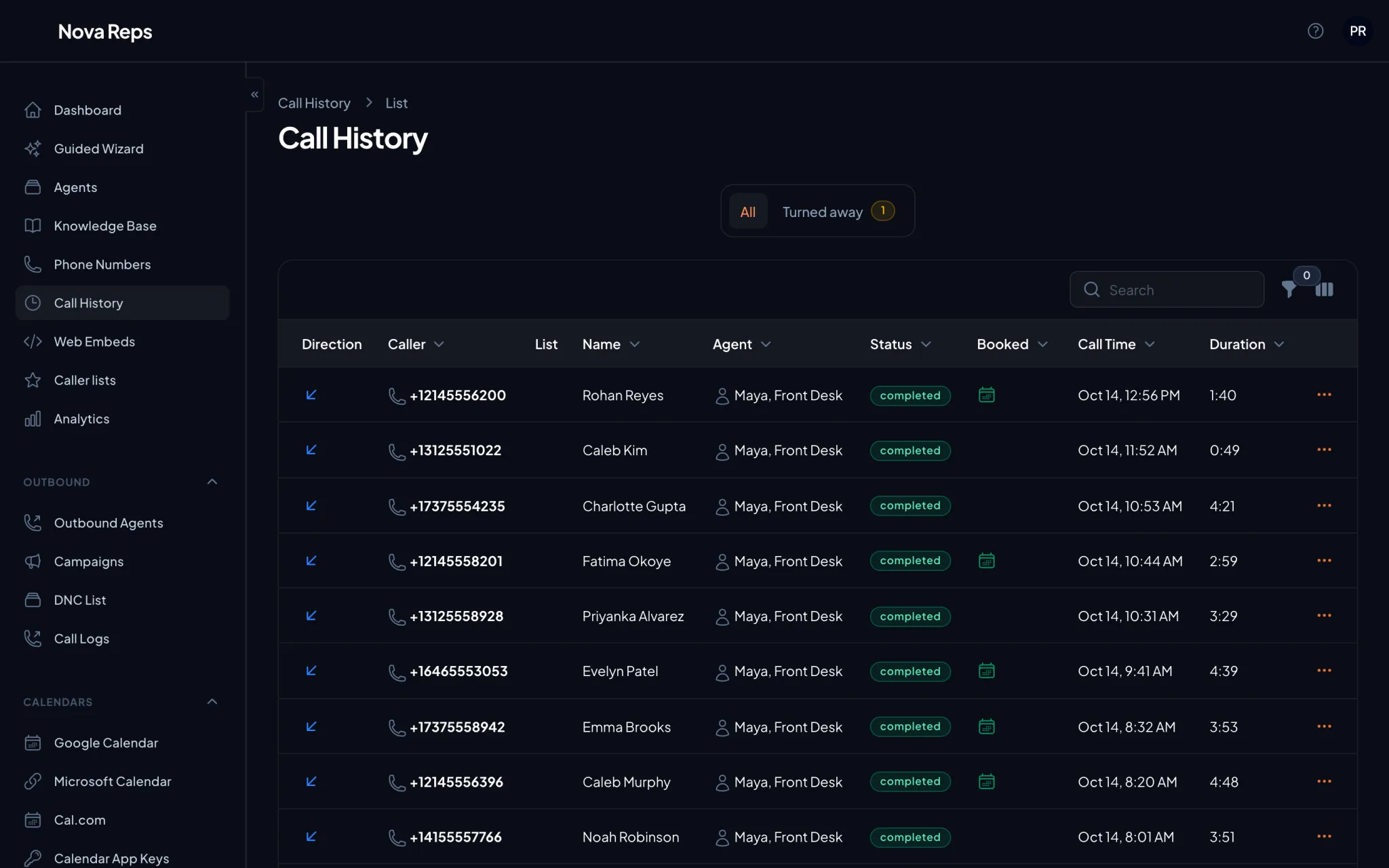
Open any call to see who rang, what they needed, the full transcript and the appointment the agent booked.Every Call Arrives With a Summary and a Transcript
When a call ends, your endpoint gets the outcome, summary and duration as a signed webhook. Webhooks are part of every self serve plan.Every Call Ends as a Signed Event
X-Webhook-Signature: t=1791297128,v1=<hmac_sha256>
{
  "id": "evt_8f2c1a9d03b7",
  "type": "call.completed",
  "api_version": "2026-04-07",
  "created_at": "2026-10-06T14:32:08+00:00",
  "data": {
    "object": {
      "id": 48213,
      "direction": "inbound",
      "status": "completed",
      "duration_seconds": 186,
      "summary": "Caller asked about delivery, address updated.",
      "appointment_booked": false,
      "agent_id": 12
    }
  }
}
The same builder covers each of these. Only the prompt and the settings change. A number that exists to fill a calendar. Covers the calls your team cannot take. Calls from ads and forms land on an agent that qualifies them. Resell an answered line to each client under your brand.One Platform. Many Phone Lines.
Booking line
After hours and overflow
Campaign intake
Client lines for agencies
More integrations coming soon. Request one →Works With the Tools You Already Use
Write the prompt, pick a voice and add your knowledge base. No code. Connect your carrier account and point a number at the agent. Call the number, tune the answers and switch it on for real callers.Live on Your Number in Three Steps
Start 7 Day Free Trial Build the agent
Connect a number
Call it, then go live
Frequently Asked Questions
What is an inbound AI voice agent?
Do I need to write code to build one?
What happens when the caller needs a person?
Which calendars can it book into?
Can I use my own AI keys and carrier?
Are webhooks included?
How is this different from the AI receptionist page?
Can an agency resell this under its own brand?
7 day free trial on every self serve plan. Connect your systems with webhooks, custom API tools and MCP.Put an agent on your phone line.
Start with a free trial.